 CAESAR
Who’s in, who’s out, what’s going on.
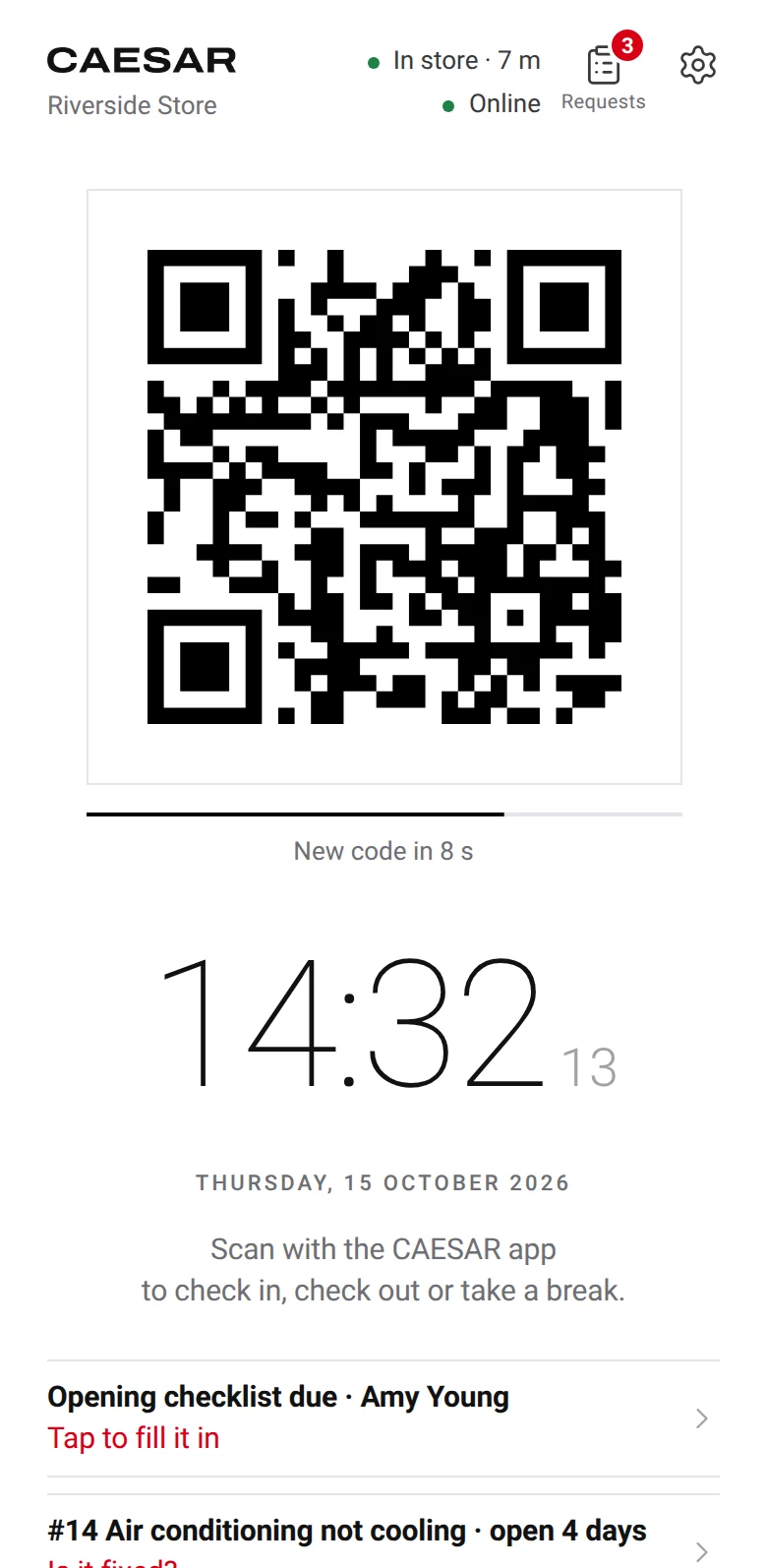
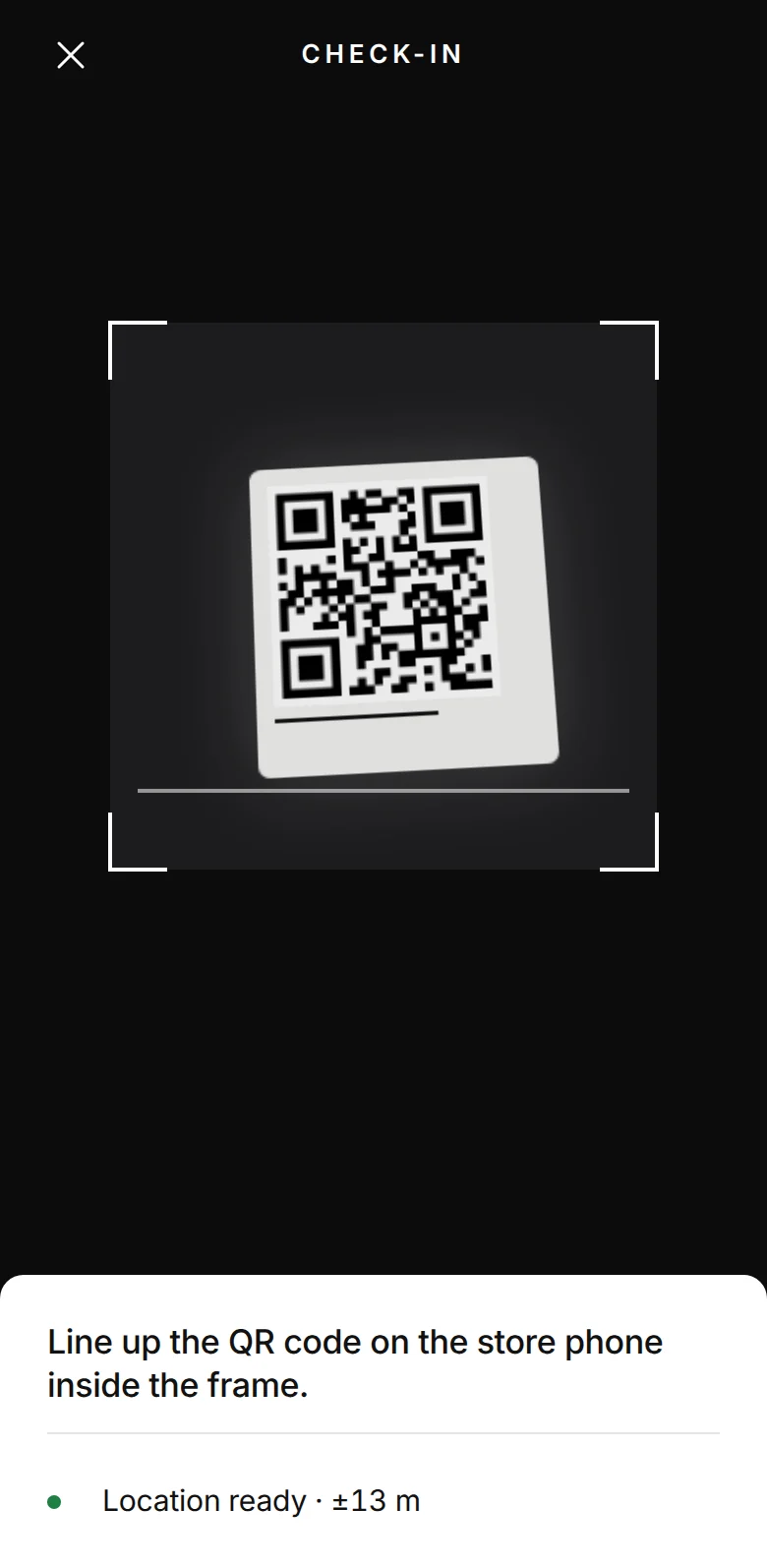
Staff scan the QR code at their location with their own phone. CAESAR verifies the phone, the location and the code together, with no fingerprints or face recognition.
Under the GDPR, fingerprint time tracking is hard to justify.
Fingerprints, face scans and other biometric data that identify a person are special category data under the GDPR. Processing them is prohibited unless a narrow exception applies, and at work an employee’s consent rarely counts.
- GDPR, article 9
- Biometric data used to uniquely identify a person may not be processed unless an exception applies, such as explicit consent or an authorisation in EU or national law or a collective agreement.
- Consent at work (EDPB guidelines 05/2020)
- Given the imbalance of power, employees can give free consent only in exceptional circumstances, when refusing has no adverse consequences at all.
- Fines (GDPR, article 83(5))
- Up to €20 million or 4% of total worldwide annual turnover, whichever is higher.
France’s CNIL considers biometric time clocks excessive, and Italy’s Garante has pointed employers to less invasive means such as badges. CAESAR processes no biometric data. It verifies identity with a registered phone, and presence with the location at the moment of the scan and a QR code that changes every 10 seconds.
Regulators have pointed the same way since 2019.
January 2019
France’s CNIL limited biometrics at work to controlling access to premises, devices and applications in its model regulation. It considers biometric time clocks excessive.
August 2019
Sweden’s authority fined a municipality SEK 200,000 for monitoring pupils’ attendance with facial recognition. Given the imbalance of power, consent was not a valid basis.
April 2020
The Dutch authority fined a company €725,000 for scanning employees’ fingerprints for attendance and time registration; the company could show neither explicit consent nor a need for authentication or security. On objection, the fine was reduced to €50,000 because of the company’s finances during the pandemic.
June 2024
Italy’s Garante fined a car dealership €120,000 for face recognition clocking and held that employees’ consent is not a valid legal basis, given the imbalance of the employment relationship.
April 2026
The Garante found face recognition clocking at a food retailer’s head office and 13 stores unlawful for lack of a legal basis and ordered the data deleted.
Sources
- Regulation (EU) 2016/679 (GDPR), articles 4, 9 and 83
- EDPB, Guidelines 05/2020 on consent under Regulation 2016/679
- CNIL, deliberation 2019-001 of 10 January 2019 (model regulation on biometrics at work)
- CNIL, access to premises and time tracking at work
- EDPB, facial recognition in school renders Sweden’s first GDPR fine (2019)
- Dutch Data Protection Authority, company fined for processing employees’ fingerprint data (2020)
- Garante, newsletter of 28 March 2024 (facial recognition for attendance)
- Garante, newsletter of 26 June 2024 (car dealership)
- Garante, decision of 29 April 2026 [10292720]
Staff scan a QR code. CAESAR handles the rest.
The location phone shows a QR code.
The code changes every 10 seconds, expires after 20 and is only generated while the phone is at the location. A screenshot is useless later or away from the location.
Staff scan it with their own phone.
CAESAR checks the registered phone, the distance to the location (100 metres by default) and the code together. A scan from another phone or from outside the location shows up in the panel as a flagged record.
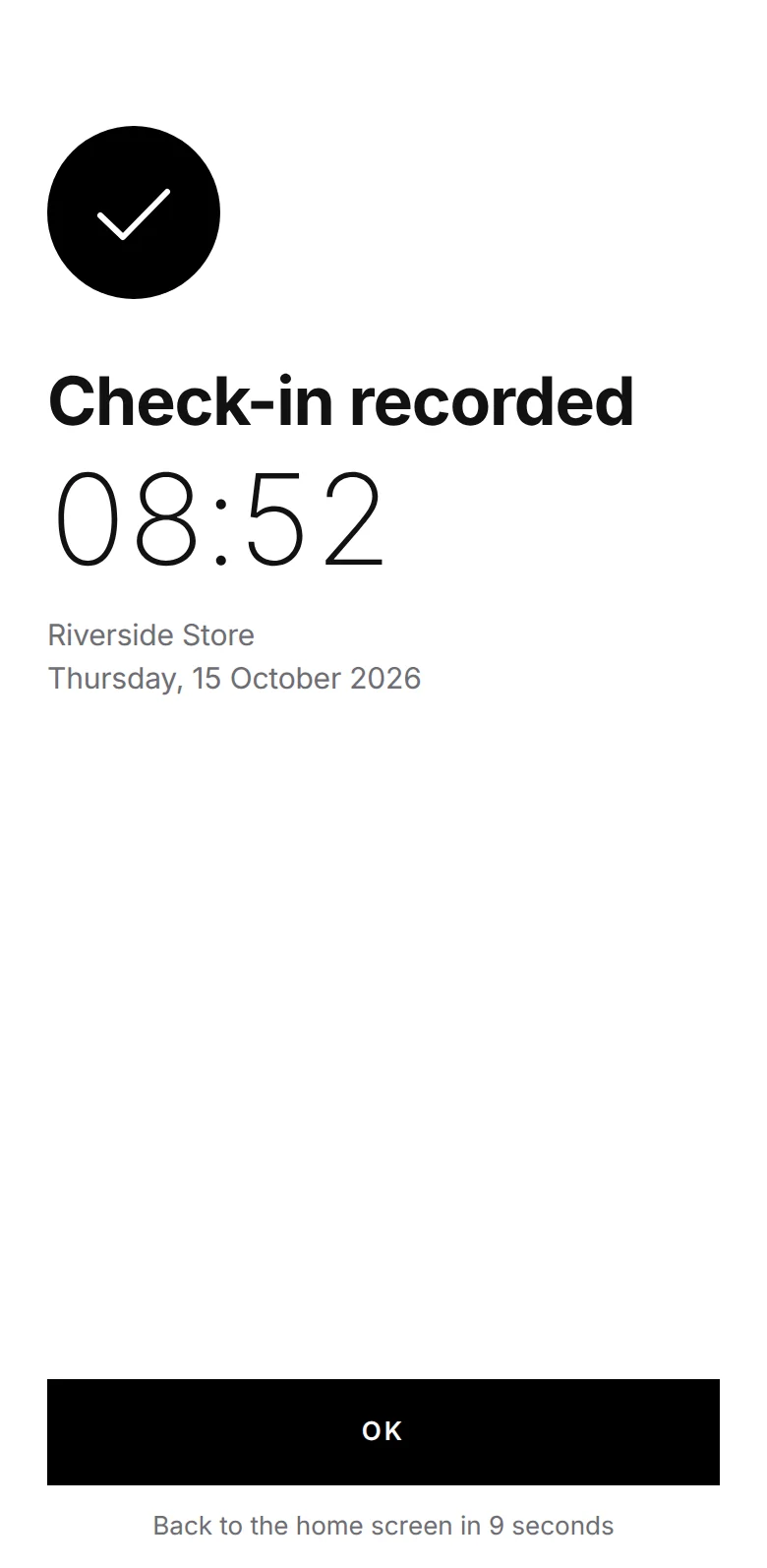
The check-in goes straight to the timesheet.
The check-in time also appears in the panel. No one can delete a record; corrections are logged with a reason.
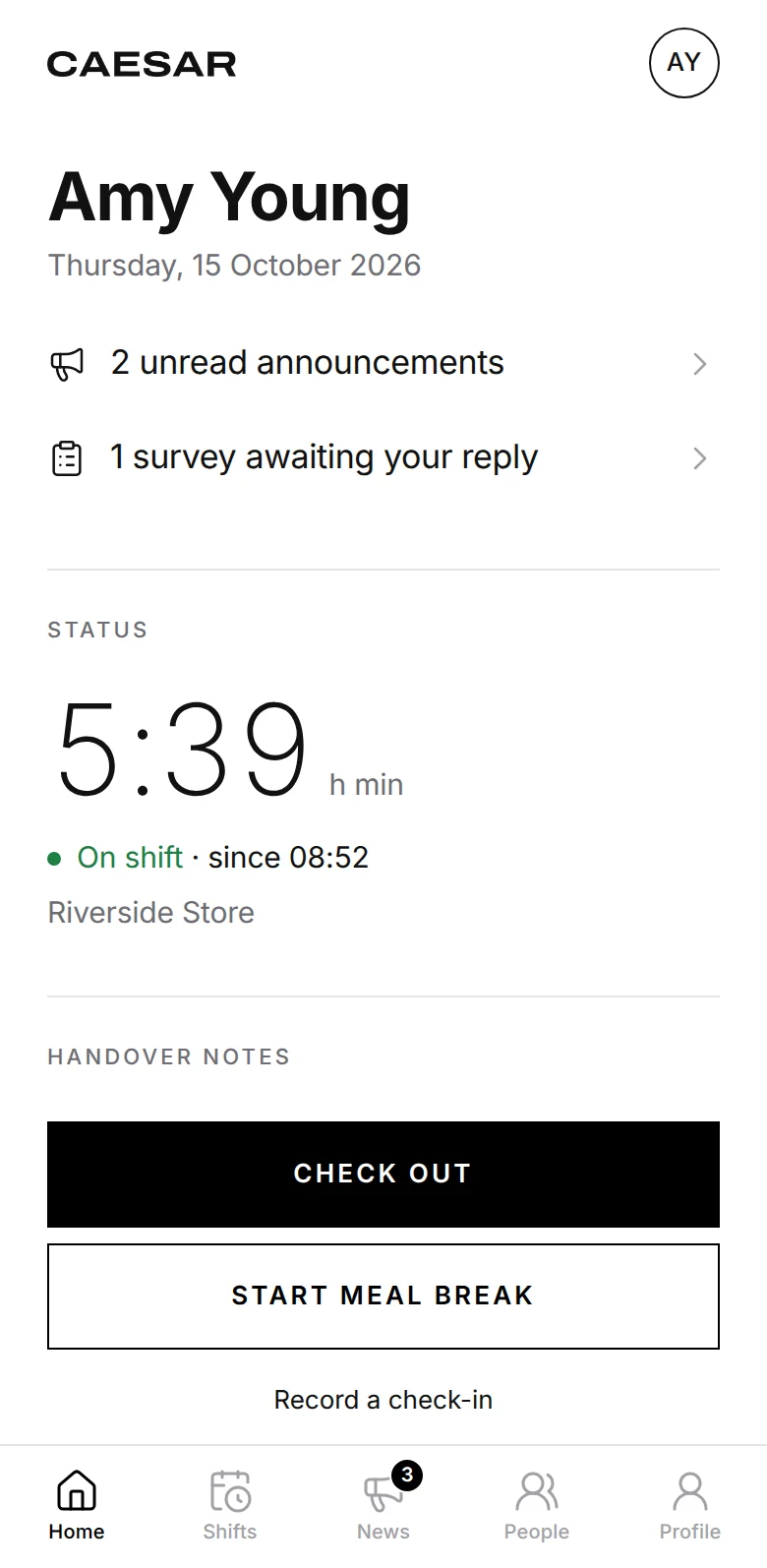
Breaks and check-outs are scanned too.
Breaks are deducted from the timesheet. Staff who forget to check out or overstay a break get a reminder.
The daily work of your locations is in CAESAR too.
For businesses where staff come and go from a location, such as retail chains, gyms, restaurants and warehouses.
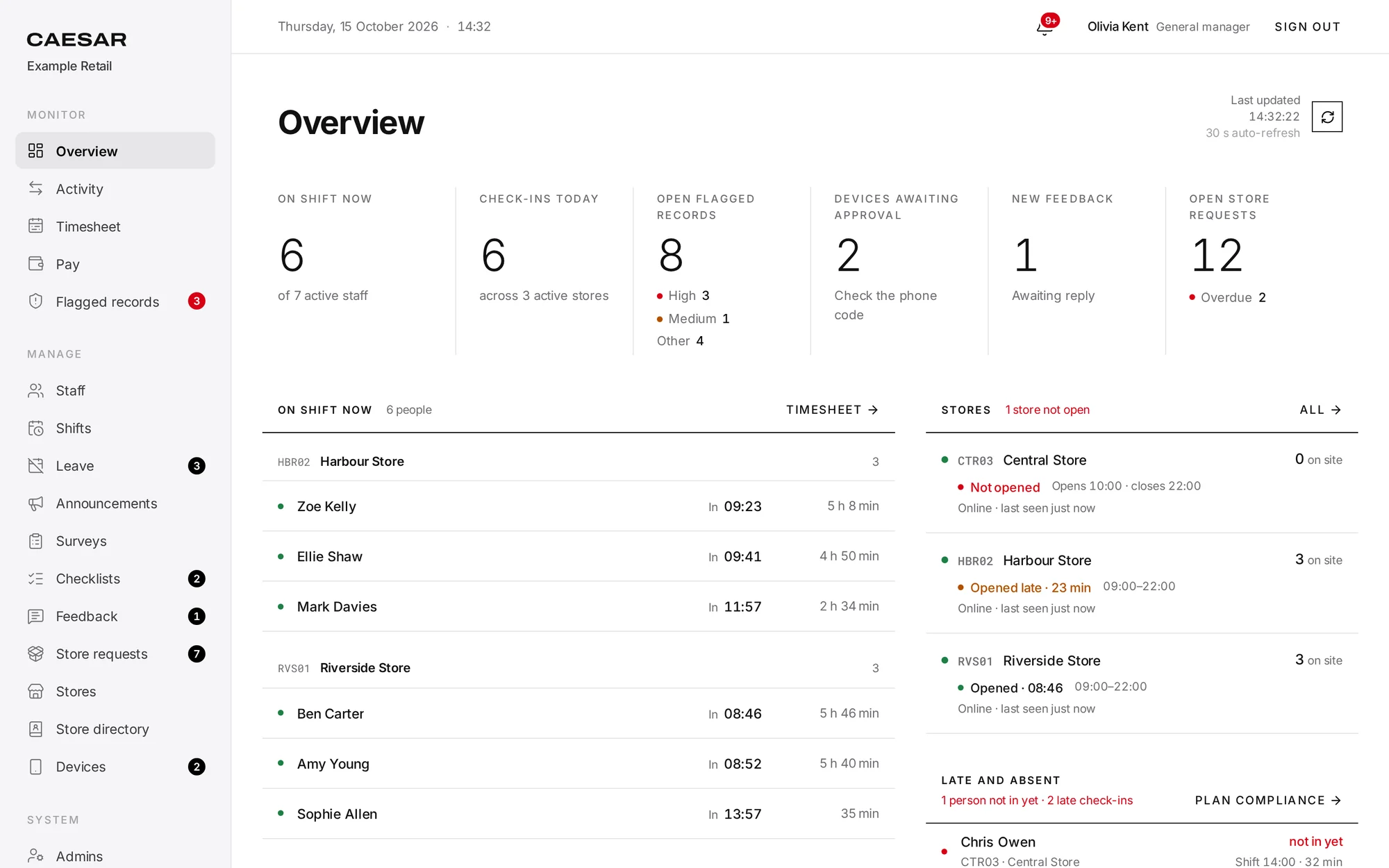
Overview
Shows whether each location opened on time today. If nobody has checked in 10 minutes after opening time, a warning appears in the panel.
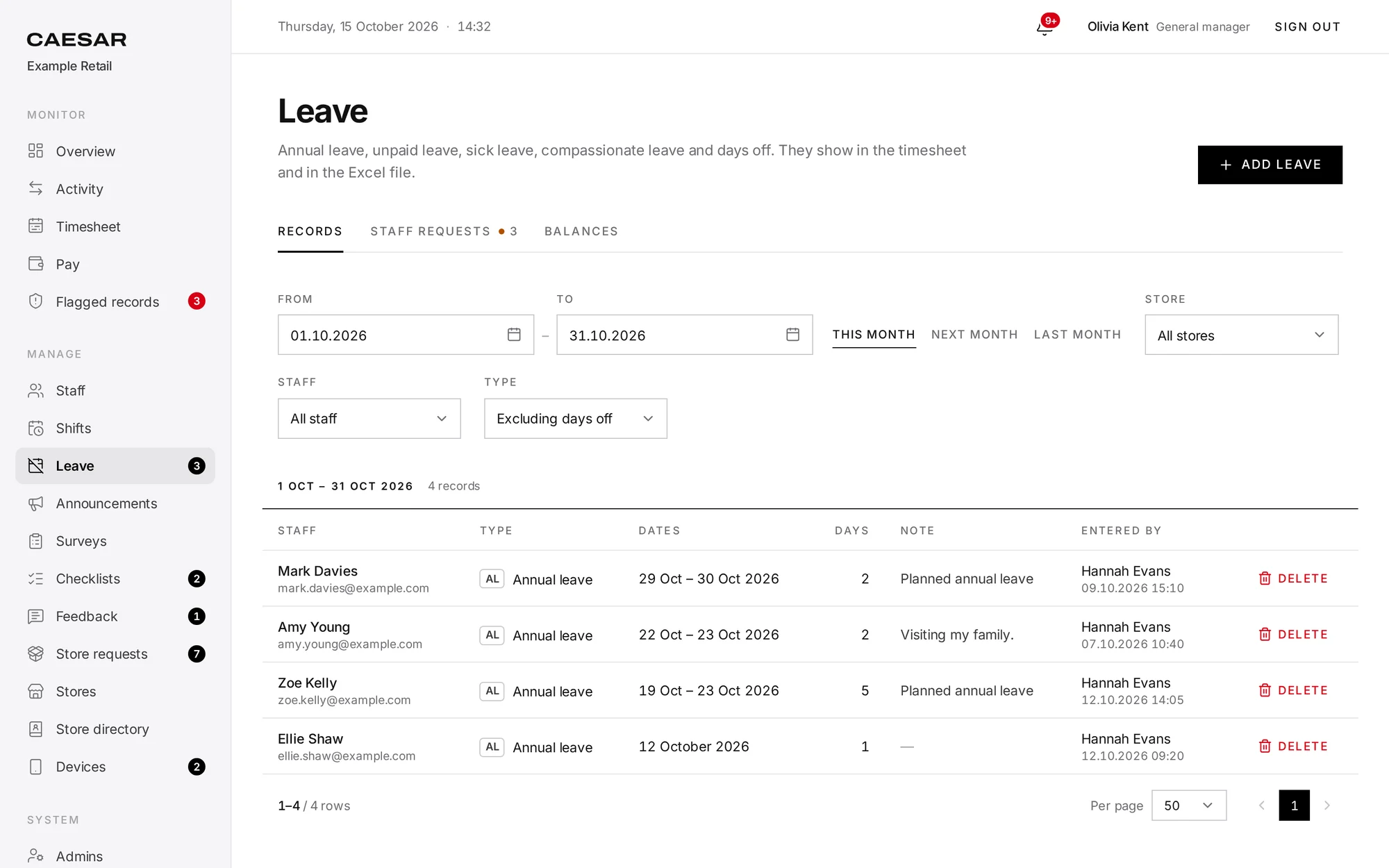
Leave and entitlements
Staff request leave in the app and managers approve it. Annual leave entitlement builds up from the hire date and can also be set per person.
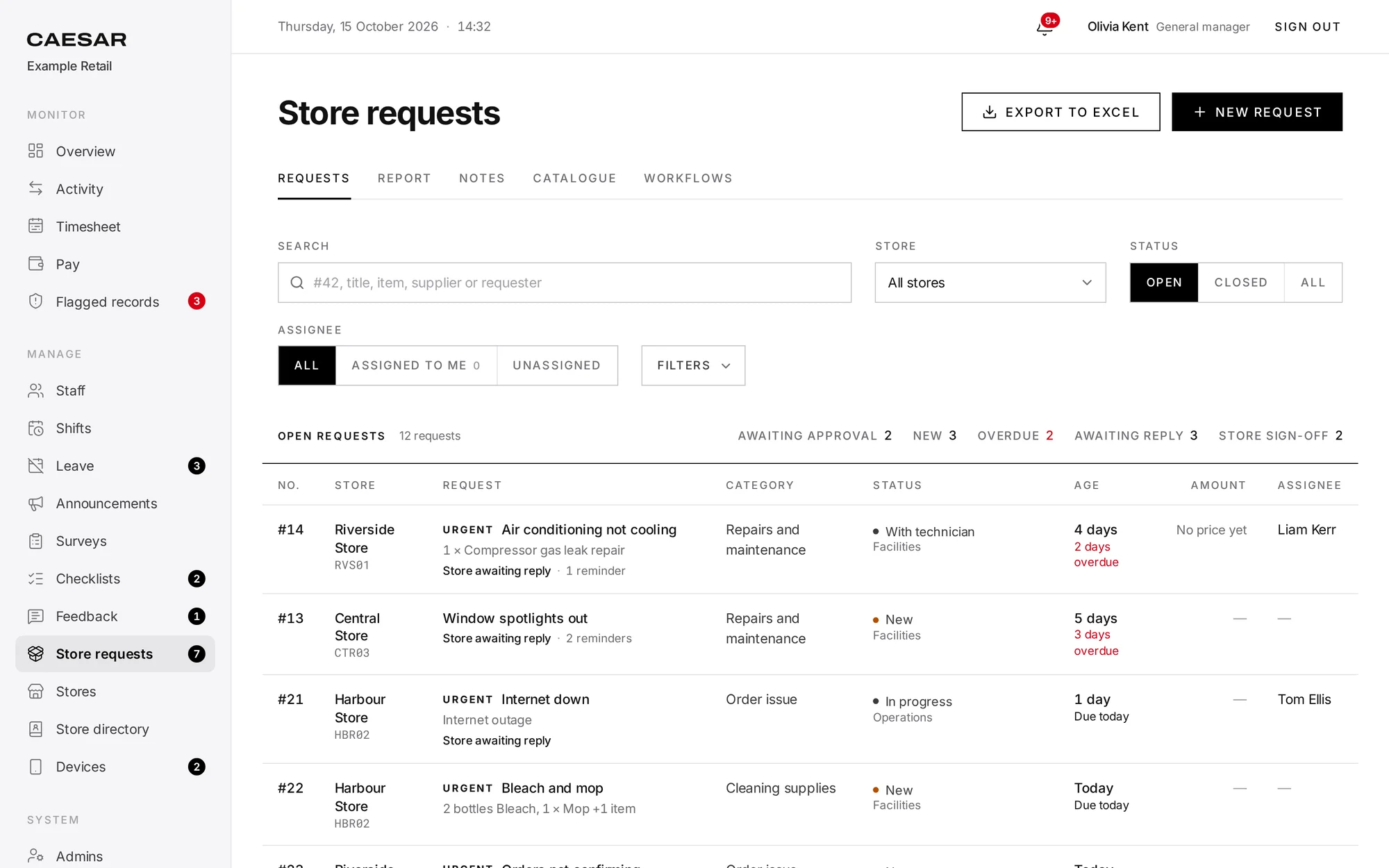
Store requests
Water, stationery or repair requests are opened from the location phone with a photo and go through your company’s approval steps. Suppliers get an e-mail automatically and costs are reported.
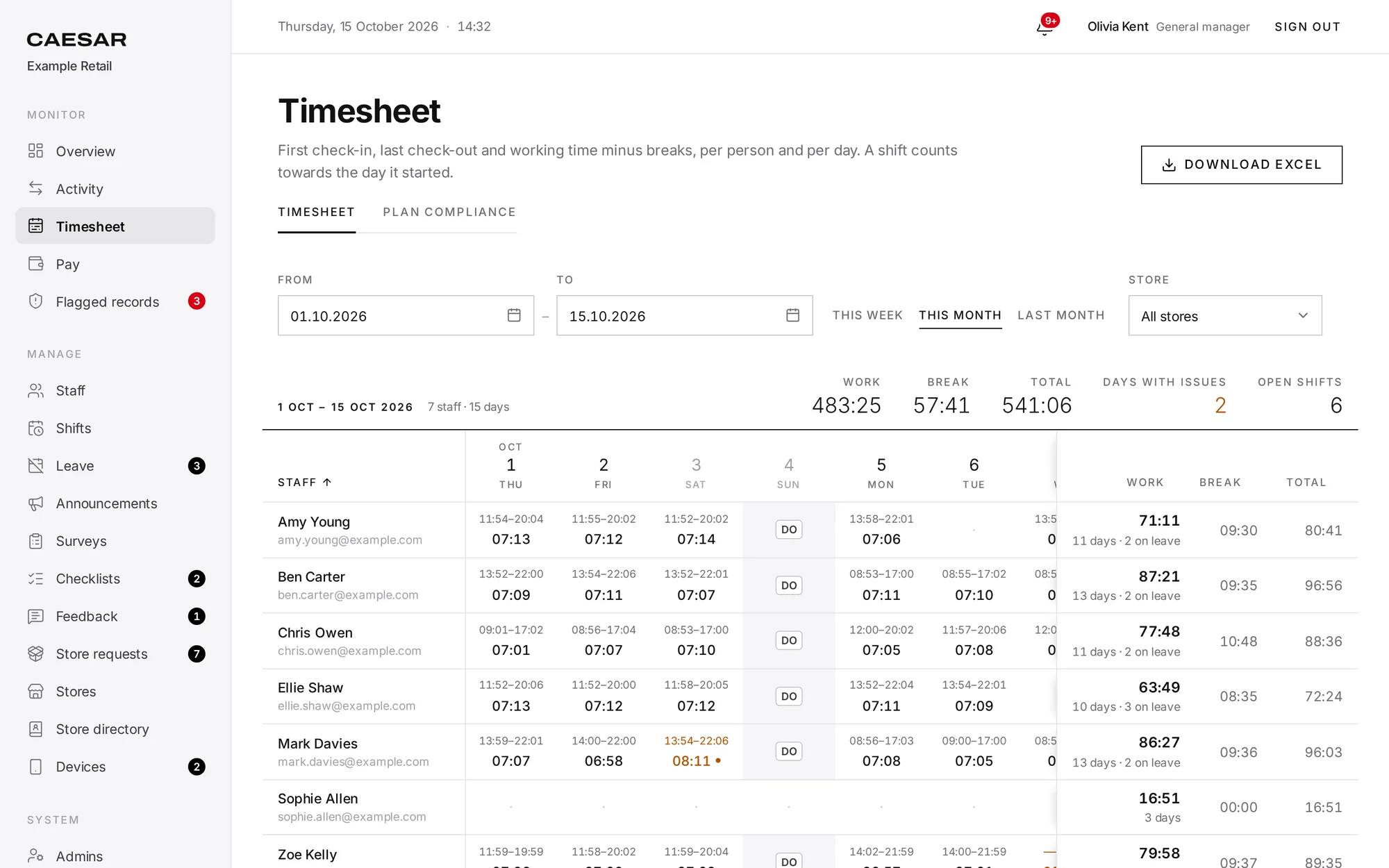
Timesheets
Net working time is calculated from check-ins, check-outs and breaks. Leave and weekly days off are included, and HR gets an Excel file with formulas.
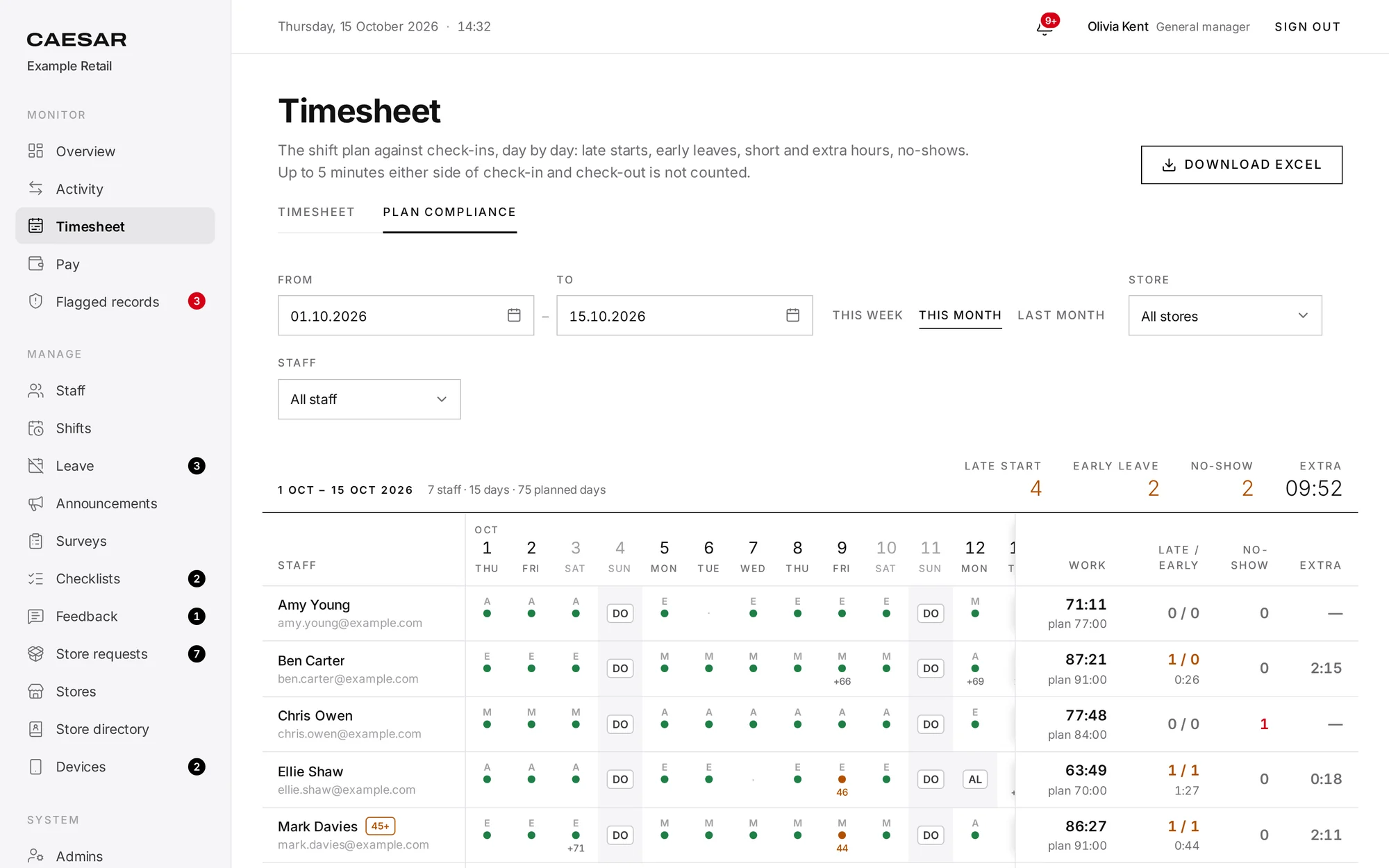
Plan compliance and overtime
Shows who was late, who left early and who didn’t come, against the plan. If you turn on overtime approval, unapproved time does not count toward pay.
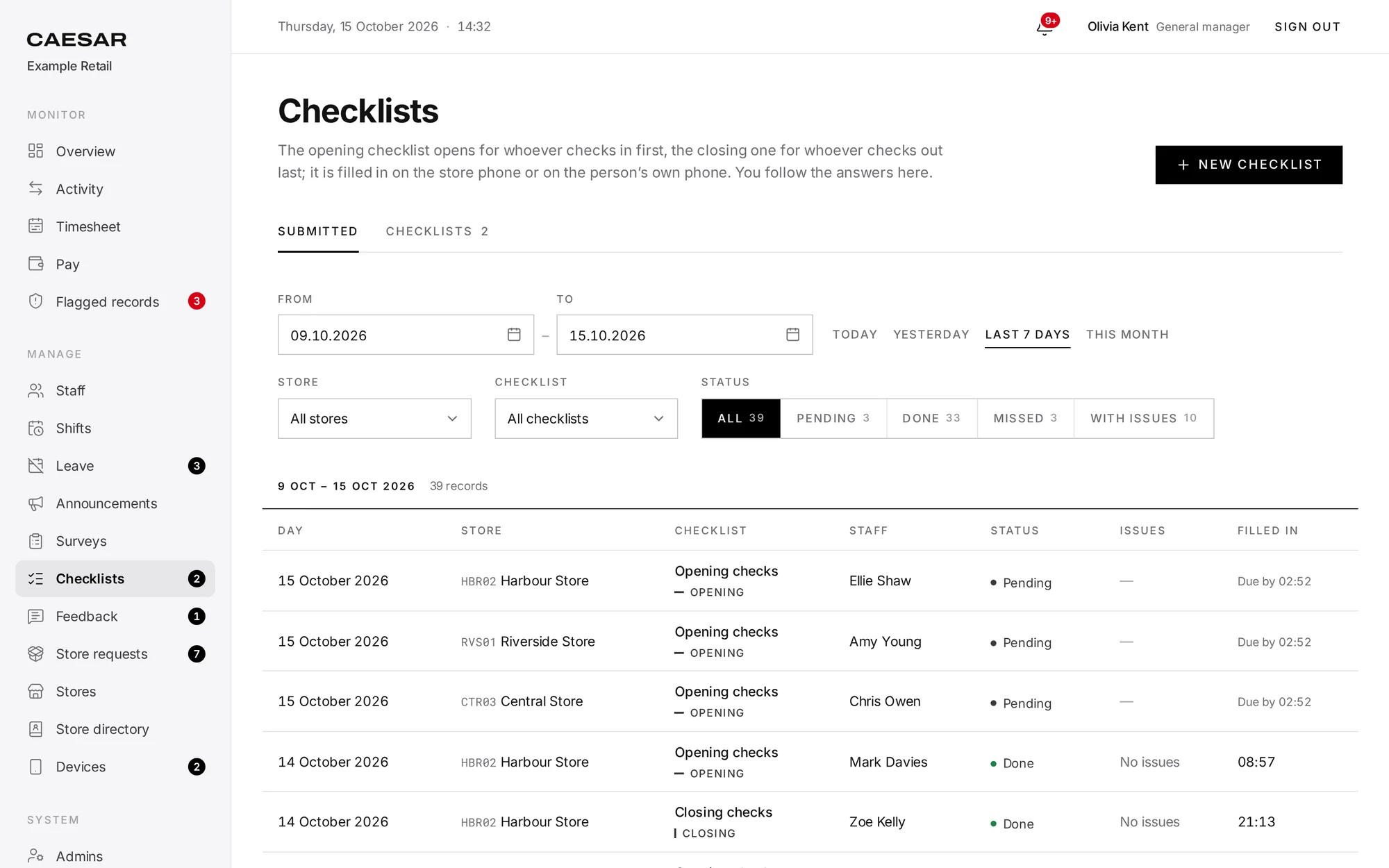
Checklists
Opening and closing checklists are filled in on the location phone. Locations that report a problem stand out in the panel.
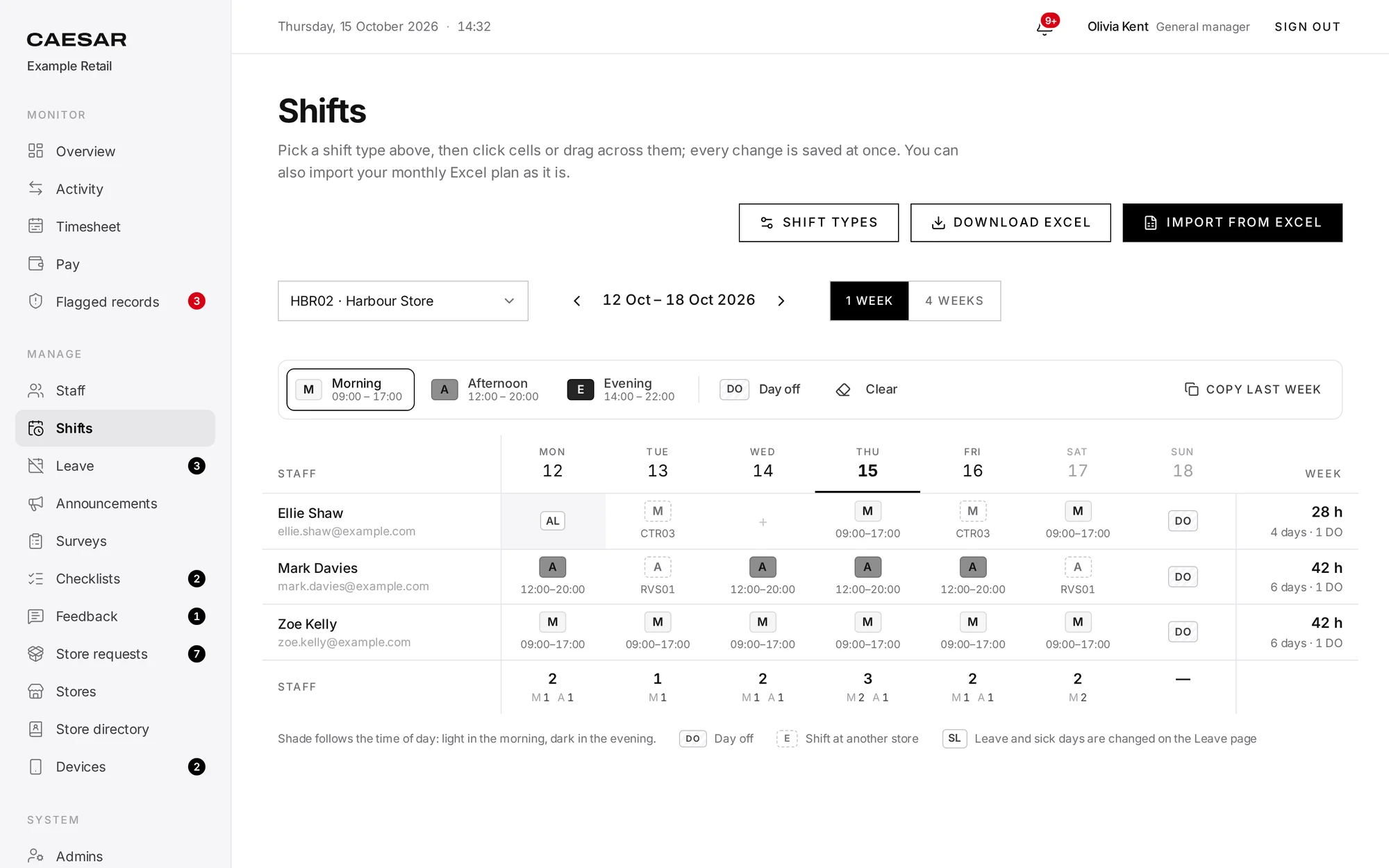
Shift planning
Plans are built in the panel with drag and drop, with shift types and breaks. The monthly Excel plan your locations use is imported as is and exported in the same layout.
Order problems
Problems that stop work, such as orders that can’t be accepted or an internet outage, go straight to the operations team. Average resolution time is reported.
Announcements and surveys
Announcements can require a “read and understood” confirmation. Surveys can be anonymous, and staff can send feedback without giving their name.
The panel on the phone
Managers open the panel inside the CAESAR app. Leave and store request notifications go to their phone.
Flexible enough to fit how you work.
You make most of these settings yourself in the panel.
- Location radius
- Set per location between 20 and 2,000 metres; 100 metres by default.
- Shifts and breaks
- You define your shift types, such as morning, evening or day off, and their break lengths.
- Departments and approvals
- You set up departments such as purchasing or operations, and the approval steps store requests go through.
- Checklists
- You write the items on the opening and closing checklists.
- Permissions
- You decide which locations each manager and department user can see.
- Optional features
- Overtime approval and store requests are switched on or left off for your company.
- Several brands
- Each brand is set up as a separate company in the same installation, with its data kept apart.
Security and privacy
No one can delete a record. Every correction is logged with who made it and why.
- Biometric data
- No fingerprints, no face recognition, no Face ID.
- Location
- Read once, at the moment of the scan, to measure the distance to the location. No background tracking.
- Data not stored
- No ID numbers, birth dates, home addresses or criminal records. Sick leave needs no diagnosis or medical document.
- Access
- Location managers only see their own locations; departments only see their own requests.
- Backups
- The database is backed up every night. Backups are kept for at least 30 days.
- Hosting
- CAESAR can be installed on a server in the location you choose, such as the EU, so the database stays there.
- Notifications
- Phone notifications, as with any mobile app, pass through external push notification services.
- Retention
- Records past their retention period are deleted automatically.
Start with one location.
Use it at one location for a week or two, see the results, then roll out to the rest. Setup takes three steps.
Add your locations and staff.
Paste your staff list from Excel to add everyone at once; each person gets a temporary password.
Put a phone at the location.
Signed in with the location account, CAESAR shows the QR code for check-ins. An Android phone is recommended.
Staff install the app.
The app runs on iOS and Android. Staff set their own password on first sign-in, and their phone is registered to their account.
Frequently asked questions
Under the GDPR, fingerprints and face scans that identify a person are special category data, and processing them is prohibited unless a narrow exception applies (article 9). At work, consent rarely counts: the EDPB says employees can give free consent only in exceptional circumstances. Authorities in the Netherlands and Italy have fined employers for biometric clocking. CAESAR processes no biometric data.
Yes. Staff install CAESAR on their own phone and their account is registered to it; an attempt from another phone shows up in the panel as a flagged record. Each location has a company phone that shows the QR code.
A manager can enter their check-ins in the panel with a written reason. Each manual entry shows who made it and why.
No. Location is read only at the moment of a scan, once, to measure the distance to the location. There is no background tracking.
No. A check-in is recorded with the code of the location where it was scanned. The panel shows who is on shift at which location.
The monthly Excel plan your locations use is imported as is and can be exported in the same layout. Plans can also be built in the panel with drag and drop.
Choose a date range in the panel and download the Excel file with formulas: daily check-ins and check-outs, breaks, net time, leave and weekly days off.
Not at the moment; today CAESAR is only for staff check-ins. If you need member or visitor entry, write to us.
CAESAR can be installed on a server in the location you choose, such as the EU, so the database stays there and is backed up every night. Phone notifications, as with any mobile app, pass through external push notification services.
Yes. Each brand is set up as a separate company in the same installation, with its own locations, staff, managers and reports.
Let’s try it at your locations.
Write to us for a demo and a pilot setup.